Endgame Viable
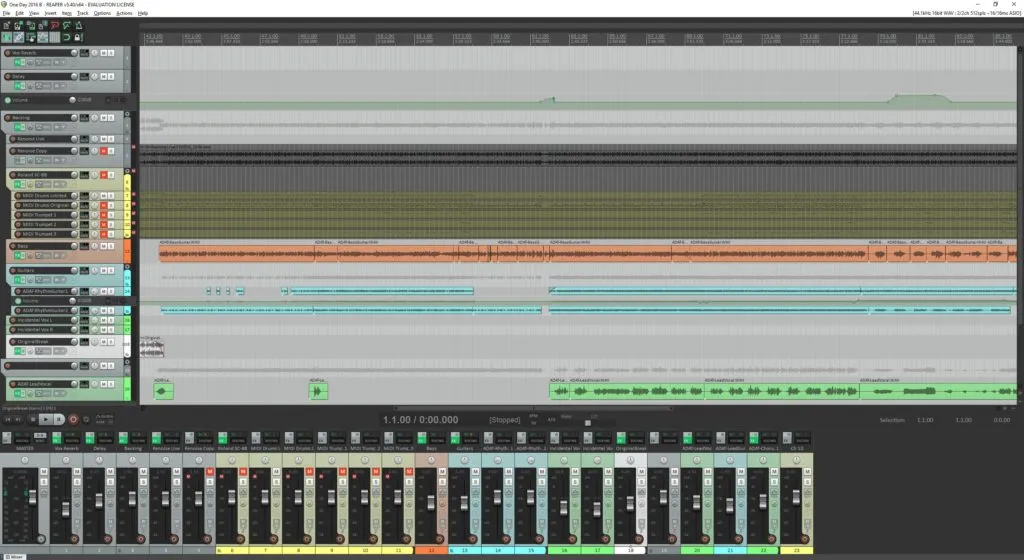
Building a MacBook REAPER DAW
Tom 655 words
I took an extra day off and had a 4-day weekend over the Labor Day holiday, during which I was under the weather most of the time thanks to chemo side effects.
This round of chemo hit a little harder than last time, so I went into hibernation from which I’m only just now emerging. Most of the time I felt like I was in a stupor and just wanted to sleep all day.
This morning, comparatively, I feel like I have more energy than I know what to do with, and I popped awake very early, ready to do a million things at once.
I’m not getting any younger, and I honestly don’t know how much longer I have in this life, so lately I have a tendency to make much more rash decisions than I normally do.
So I’ve decided to build myself a new music production workstation. I wanted to build a new workstation because I don’t want to mix music and gaming on my gaming PC. It’s been messy and I don’t like it. (Not least because games these days fill up a 2 TB SSD in seconds.)
This time I’ve decided I’m going to do something I’ve never done before: I’m going to use my MacBook Pro as the basis for my REAPER DAW (digital audio workstation).
I investigated buying a Windows laptop to use as the REAPER DAW, because I’ve always done all my music work on Windows, but I quickly discovered that buying a Windows laptop is nowhere near as easy as buying a MacBook. There are 50 different brands, each with 50 different variations, and none of them are quite right for what I want.
Windows laptops tend to fall into three basic categories: Cheap, business, or gaming. Gaming laptops tend to have the power I want, but they always have a ridiculously expensive GPU that I don’t need in this case. Business laptops could work, but none of the three categories typically have the USB or Thunderbolt ports that I want.
So I thought, well, I already have a MacBook Pro that is pretty powerful and can easily drive REAPER and external hardware. And after some experimentation it was clear that REAPER runs exactly the same on MacOS as it does on Windows, and the project files are 100% compatible between MacOS and Windows (not counting variations in plugins).
So yesterday, Labor Day 2026, I pulled the trigger and started cleaning up a small side room to serve as my new mini music studio.
And I got on Amazon and started splurging on the gear I need to set up a basic little DAW around my MacBook. Said gear being things like a docking station, an audio interface, and a desktop rack and power supply.
The docking station was quite a bit more expensive than I expected, because I wanted one with full Thunderbolt 5 support and enough USB ports to deal with all the USB devices I’ll be hanging off of this Christmas tree.
It feels weird to spend extravagantly on myself. I’ve always been fairly frugal and I avoid spending money if I don’t need to, and I’ve always lived well within my means, now more so than ever. But due to getting older and having cancer, I’m starting to adopt a “you can’t take it with you” sort of attitude. It’s a bit embarrassing.
The pragmatic in me knows I have to be cognizant of healthcare costs. Right now, insurance pays for most everything. But who knows how long that will last? How long will I be able to work? What happens to my job when the AI bubble inevitably bursts? What happens after I retire? If I live that long? All questions that circle in my head all the time.
But for now, we live a day at a time and pursue our passions, as long as it doesn’t actively bankrupt us.
Leave a Comment
This is a homegrown DIY comment system I've been working on. It works but technically you're beta testing it. Good luck. Go here to enter a comment on this post without Javascript.